


 Log in




Avandrive is proud to add Pixlr to its online cloud. The powerful photo editing program will let you edit your images from any Windows or Mac OS X computer with an internet connection.
Pixlr allows you to:
• Crop and resize images
• Change hues and colour balance
• Add a range of varied filters
• Gives users a range of selection and feathering methods
• Create images with layers
• Add text
• Plus a range of features which you would expect on desktop photo editing software.
How do I open images in Pixlr?
To edit a picture stored on Avandrive through Pixlr, simply log into your account and open the file you want to edit.
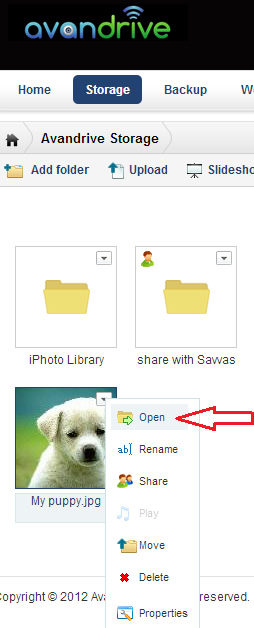
Select the “edit with Pixlr” button.
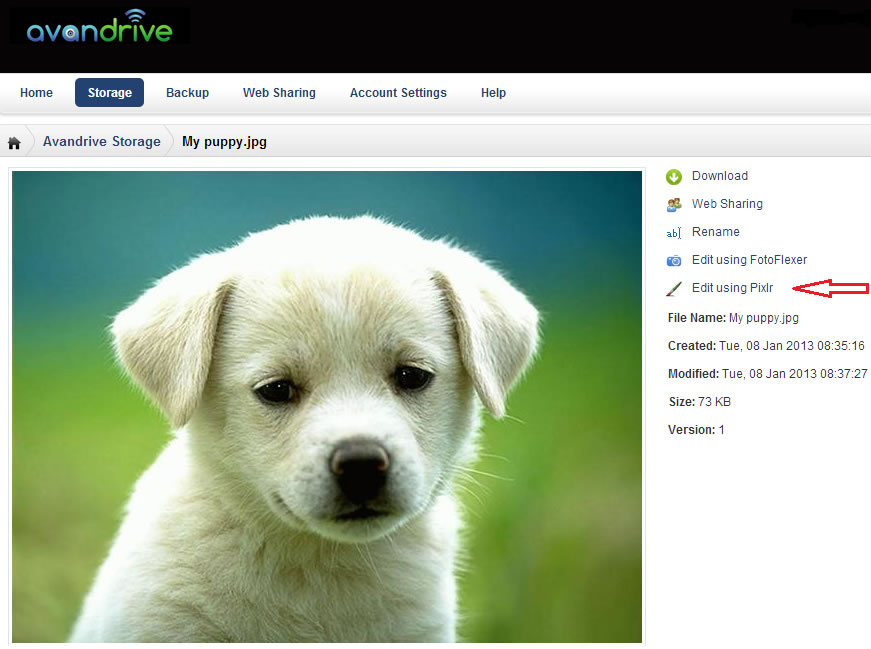
Your image will now load in the Pixlr software.
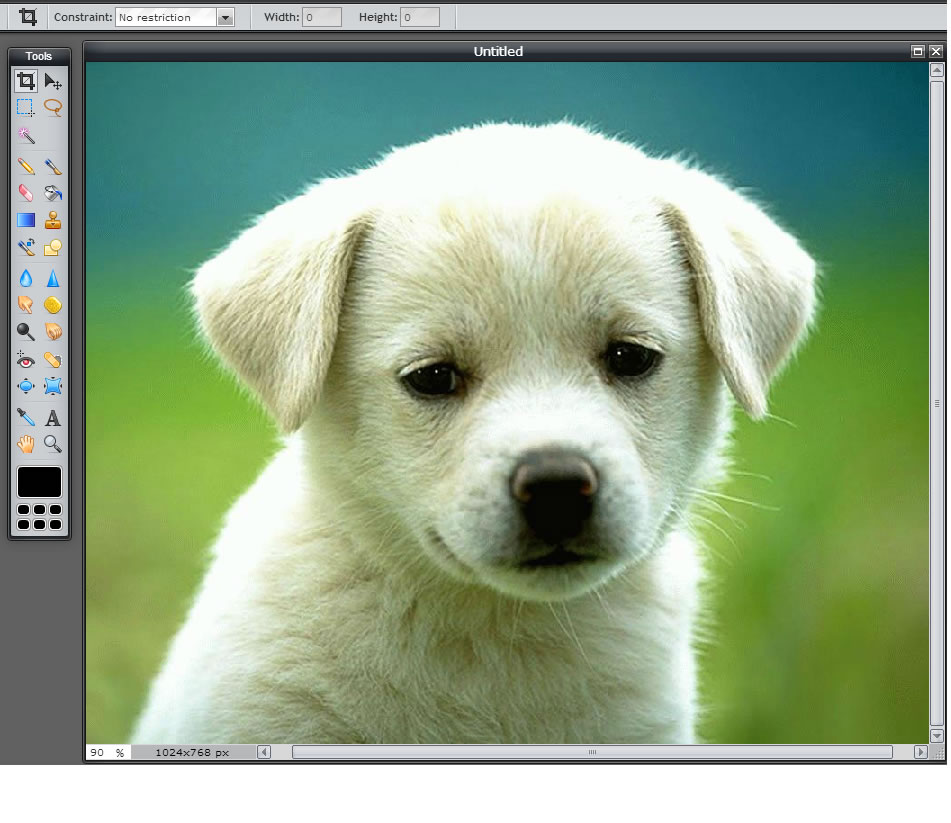
If you are familiar with Adobe’s Photoshop you should be able to start editing images in seconds. The program is laid out in a standard way with tools on the left, the navigator and layers on the right, and filters and colour adjustments on the top menus.
Once you have finished making edits to the image simply click “File”, “Save” and the new image will be uploaded to the cloud. This will allow you to edit your images from any computer at any time, making your life easier.
Keep checking our Knowledgebase for top ways to edit photos on Pixlr!