


 Log in

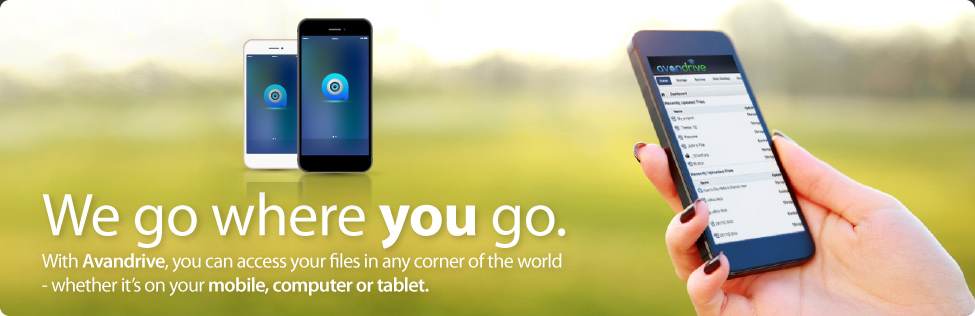


Today we are proud to announce Avandrive’s new way of accessing your web portal directly from our official website. Avandrive web portal enables you to access view and edit files from any web browser, anywhere in the world. This makes it easy to work remotely, from any web based device much faster than ever before.
Until now they were 2 simple ways to access your web portal:
1) From your computer click on the Avandrive icon at the bottom right of your screen in your taskbar and click on “Web Portal”.
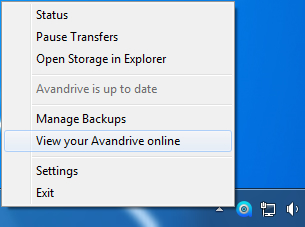
You will then be instantly directed to your web portal from where you can access all your files.
2) Reach your web portal from any web browser on any web-connected device by simply typing oursubdomainname.avandrive.com into the address bar, as the example below.

The New Way
Now, you can also access your web portal from your PC, Mac, Smartphone, Tablet and Smart TV from any web browser directly through Avandrive’s website. You only have to remember your username and password.
In order to login to your web portal from Avandrive’s website you have to:
1) Go on Avandrive’s website and on the top right of your screen navigate your mouse on the “Login” button, in order to see the drop down menu, just like the example below.
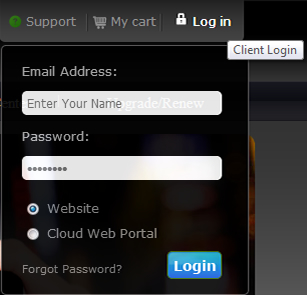
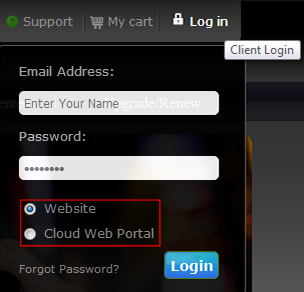
2) Simply enter you username and password and choose one from the options below. Click the login button to be transferred to your website account or your web portal and gain instant access to all your stored files available online.
Enjoy!