


 Log in



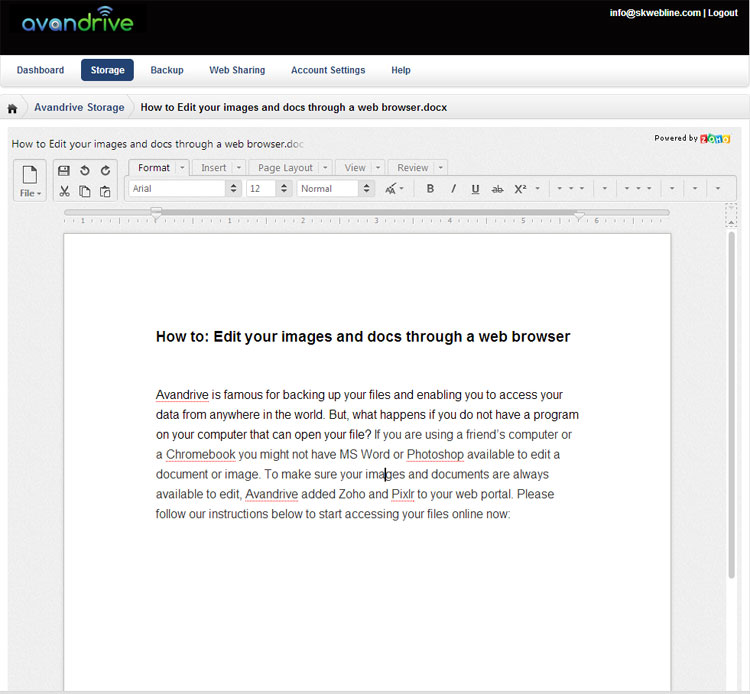
Avandrive is famous for backing up your files and enabling you to access your data from anywhere in the world. But, what happens if you do not have a program on your computer that can open your files? If you are using a friend’s computer or a Chromebook you might not have MS Word or Photoshop available to edit a document or image. To make sure your images and documents are always available to edit, Avandrive added Zoho and Pixlr to your web portal.
Zoho
Zoho is a spreadsheet and document editor. The program is very similar to Microsoft’s Word and Excel and is built into Avandrive’s web portal. To open files on Zoho please follow our easy instructions:
• Log into your web portal
• Click on the Storage or Backup tab on the main menu and find the file you want to open
• Double click on the file.
• If you are using Avandrive Storage click the “Edit using Zoho” button or the “View using Zoho” button if you are using your Avandrive Backup.
Pixlr
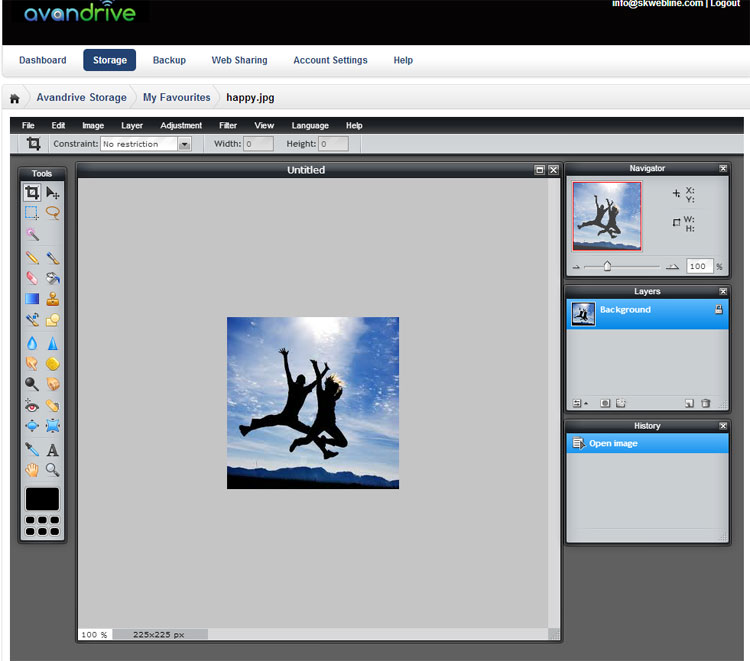
Pixlr is an advanced photo editor which enables you to view and edit your images at any time. Just like Zoho, the program is built into Avandrive’s web portal and offers nearly all the features you would expect from Photoshop. To open files in Pixlr please follow our simple steps:
• Log into your web portal.
• Click on the Storage or Backup tab on the main menu and find the file you want to open.
• Double click on the file you wish to open.
• Click the “Edit using Pixlr” button on the right hand side of the file.
Please note: We have created a full guide to using Pixlr. Click here
Access all your files easily and securely using your most professional cloud provider.
Find out more information about Avandrive’s powerful cloud services on our website.